Unpolished. Correct English that still sounds like you.
A Chrome extension for people who write in English as a second language. It fixes the mistakes and keeps your words, your sentences and your tone. Then it shows you if the text now has the habits that readers take as machine-written.
The problem
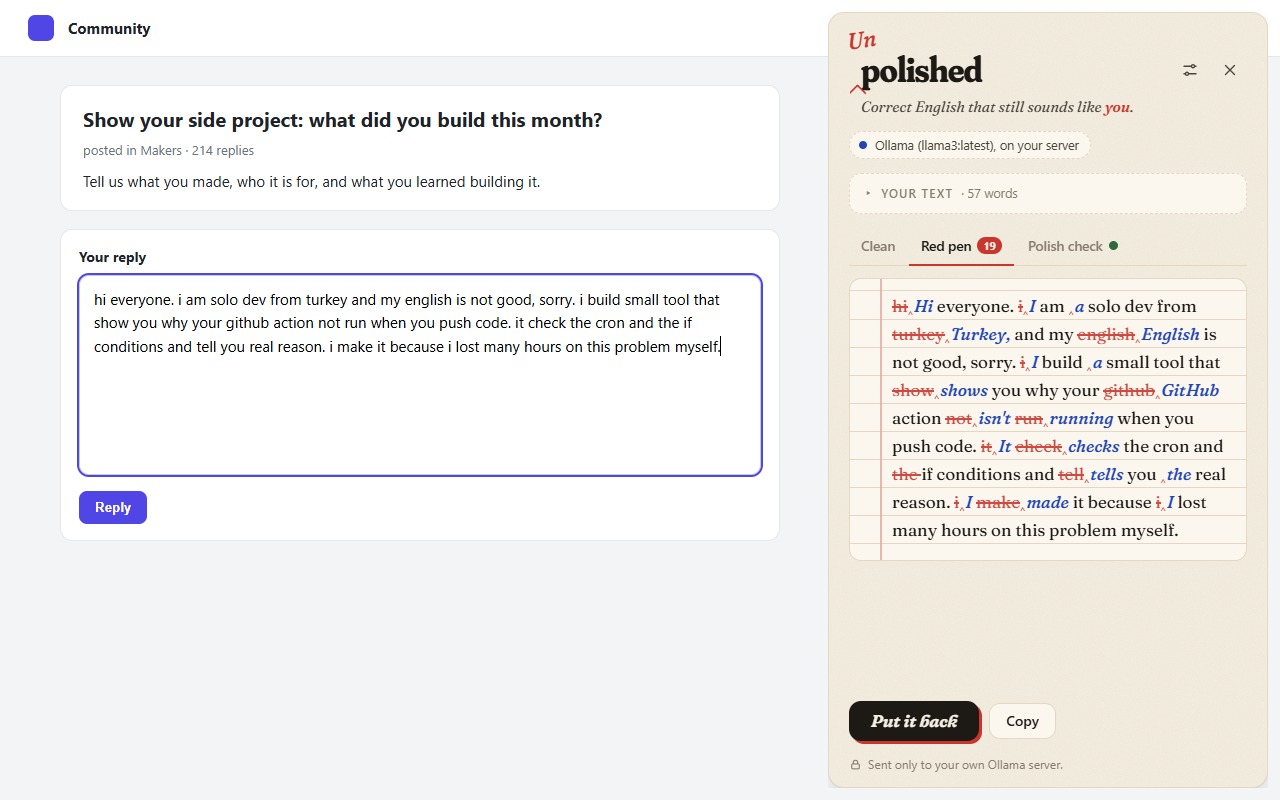
If your English has mistakes, people on forums and in email take you less seriously, and some communities remove the post. If you ask a chatbot to fix it, the chatbot rewrites it. The text comes back smooth and long and not yours, and now people say it is AI text. Both ways, the thing you wanted to say gets lost.
Unpolished sits between the two. It corrects the English and does not rewrite it.
What it does
- Fix, not rewrite. Grammar, spelling, tense, articles, prepositions and word order. One sentence out for each sentence in. If the model adds a sentence you did not write, it is asked again; if it does it twice, you are told.
- Red pen. Every change is shown the way a teacher marks a page: crossed out in red, written above in blue. You can take the corrected text or keep yours.
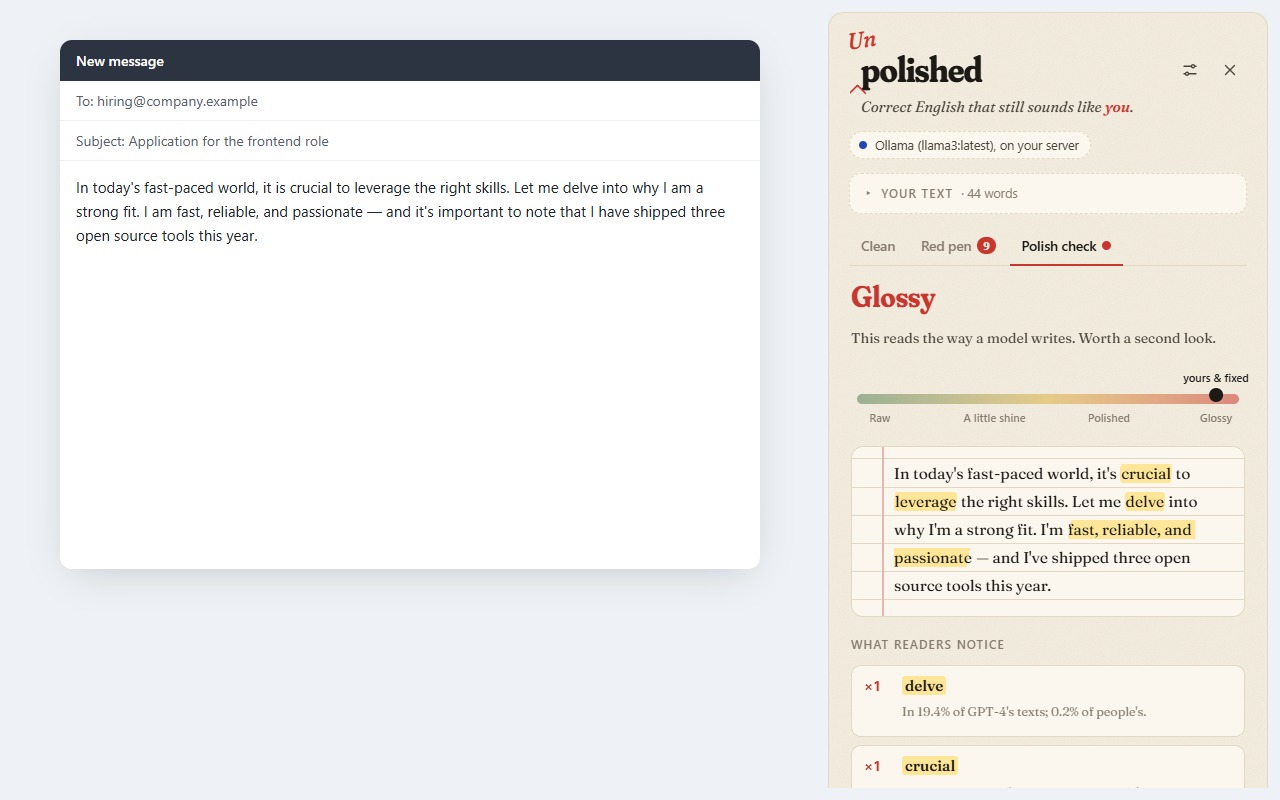
- Polish check. It marks the habits that are really more common in machine text, and only those. The list is not a guess: each habit was counted in texts by people and by language models in Is it really an AI tell?, and it is in far more of the models' texts than the people's. It also tells you which of the usual suspects are not tells at all: people use dashes and "moreover" at least as often as the models do. This check runs without any model.
Where your text goes
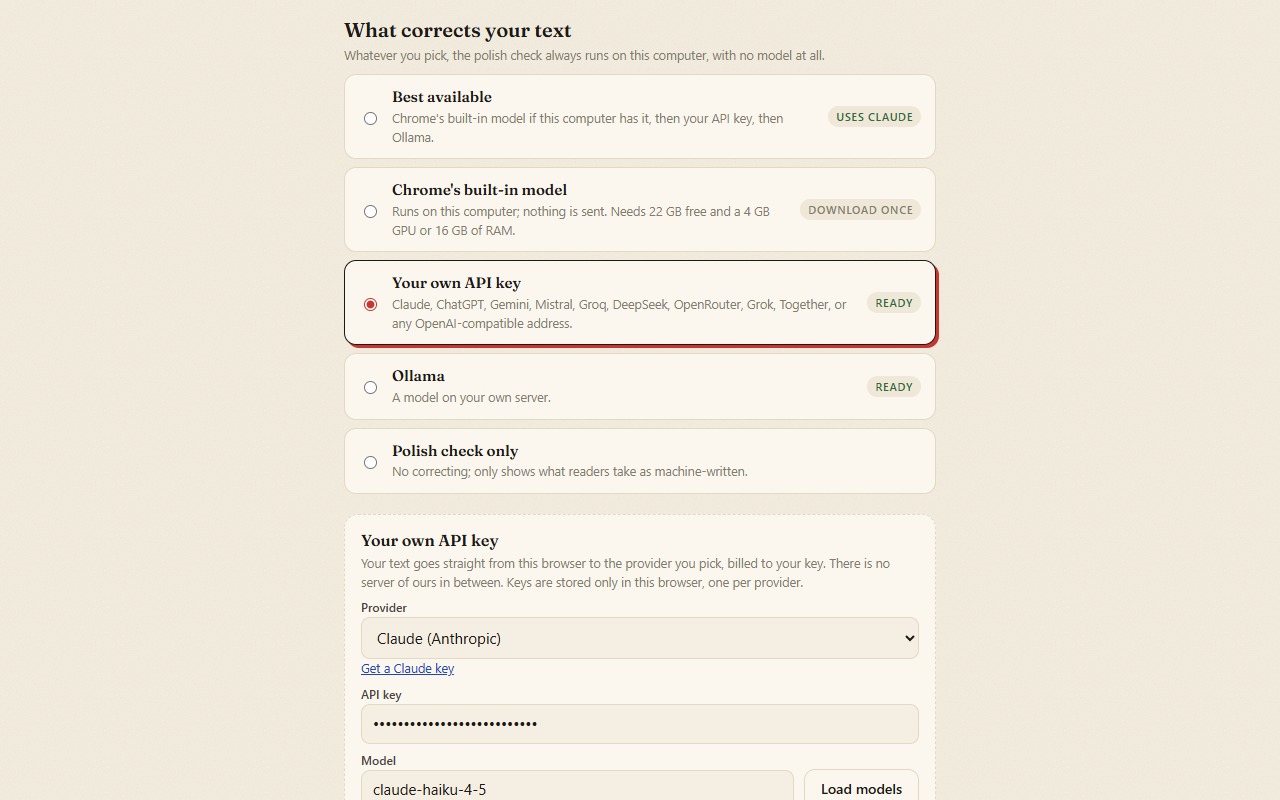
You choose the engine in Settings. There is no server of ours in any of them.
| Engine | Where it runs | Needs |
|---|---|---|
| Chrome's built-in model (Gemini Nano) | On your computer. Nothing is sent. | Chrome 138 or newer on a desktop, 22 GB free disk, a GPU with more than 4 GB or 16 GB of RAM. Downloads once. |
| Your own API key | From the extension straight to the provider you pick, billed to your key. | A key for Claude, ChatGPT, Gemini, Mistral, Groq, DeepSeek, OpenRouter, Grok, Together AI, or any OpenAI-compatible address (LM Studio, vLLM, a proxy). |
| Ollama | Your own Ollama server. | Ollama and a model. |
| Polish check only | On your computer. | Nothing. |
Keys stay in Chrome's local storage on your computer, one per provider, never in sync storage. Model names are not built in, because they change too often: Settings asks the provider for its own list.
How to use it
- Click the toolbar button to open the side panel and paste your text.
- Or select text on any page and choose Unpolish this from the right-click menu, or press Alt+Shift+U. The corrected text can be written back into the text box, and Ctrl+Z still undoes it.
- If you want, turn on the stamp: a small button in every text box. This one needs the permission to run on all sites, so it is off until you turn it on.
Permissions
At install it asks only for storage, contextMenus, activeTab, scripting and sidePanel. With these it reaches only the tab you are in, and only when you ask. The address of your API provider or your Ollama server is asked for when you save it. All sites are asked for only if you turn on the stamp. The full policy is on the privacy page.
Try it before the store
The Chrome Web Store listing is in review. Until it is out, you can load the same build yourself:
1. download unpolished-0.1.0.zip from the GitHub release and unzip it
2. open chrome://extensions and turn on Developer mode
3. Load unpacked → choose the unzipped folder- Repository: github.com/barbarkaragul-oss/unpolished (MIT)
- Issues and questions: GitHub issues
- Where the tells come from: Is it really an AI tell?
Türkçe özet
Unpolished, İngilizceyi ikinci dil olarak yazanlar için bir Chrome eklentisi. Hataları düzeltir ama metni yeniden yazmaz: kelimeleriniz, cümleleriniz ve üslubunuz kalır. Her düzeltme öğretmenin kırmızı kalemi gibi gösterilir. "Polish check" ise metinde gerçekten makine metninde daha sık görülen alışkanlıkları işaretler; liste tahmin değil, Is it really an AI tell? ölçümünden gelir. Motor olarak Chrome'un kendi modeli (bilgisayarda), kendi API anahtarınız (Claude, ChatGPT, Gemini ve diğerleri), Ollama ya da yalnız kontrol seçilebilir. Bizim sunucumuz yok, hiçbir veri toplanmaz. Chrome Web Store'da incelemede; o zamana kadar GitHub'dan indirip "Paketlenmemiş öğe yükle" ile kurulabilir.